SaaS Benefits Vector Infographic Design Guide
Transforming complex software advantages into clear, compelling visuals is the cornerstone of effective tech marketing, and a well-crafted SaaS Benefits Vector Infographic serves as the perfect bridge between technical functionality and user understanding. For graphic designers and marketers tasked with explaining abstract concepts like cloud architecture or subscription models, having a dedicated SaaS benefits vector infographic template can significantly streamline the creative workflow while ensuring professional consistency across all brand touchpoints.
Visualizing Technical Value Through Design
In modern visual design, clarity is king. When communicating the value proposition of Software as a Service, designers must balance aesthetic appeal with informational density. A high-quality vector asset allows for infinite scalability without loss of fidelity, making it ideal for everything from large-format trade show displays to mobile-optimized social media graphics. The right template does not just display data; it establishes a visual hierarchy that guides the viewer’s eye through critical information logically and effortlessly.
This specific type of creative asset focuses on translating intangible software features into tangible business outcomes. By utilizing linear icons and clean typography, designers can reduce cognitive load, allowing stakeholders to grasp key messages quickly. This approach aligns with current UI design trends that favor minimalism and functional aesthetics over decorative clutter.
Key Design Elements for SaaS Communication
To effectively convey the unique selling points of SaaS platforms, your visual strategy should incorporate specific structural elements that resonate with B2B audiences. A comprehensive template typically includes versatile layouts designed for distinct communication goals:
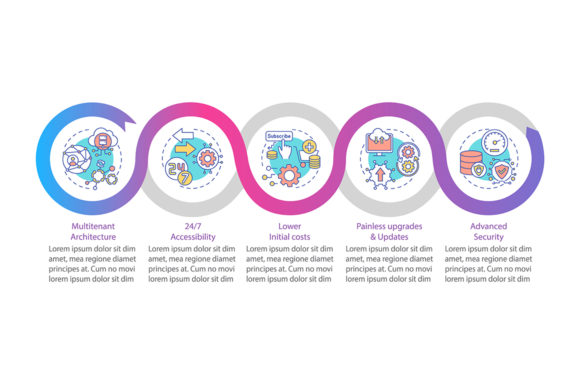
- Multitenancy Visualization: Abstract diagrams showing shared resources and secure isolation are essential for explaining cloud infrastructure without overwhelming non-technical viewers.
- Low Initial Costs Charts: Comparative bar graphs or icon-based breakdowns that visually demonstrate ROI and reduced capital expenditure compared to traditional on-premise solutions.
- 5-Step Data Visualization: Structured layouts that break down onboarding processes or feature adoption into digestible stages, improving user engagement and retention.
- Process Timeline Charts: Horizontal or vertical flows that map out implementation schedules, helping to set realistic expectations during sales presentations.
- Linear Icon Workflow Layouts: Modern, stroke-based iconography that maintains visual consistency and integrates seamlessly with contemporary web design and app interfaces.
Practical Applications Across Creative Projects
The versatility of vector-based infographics extends far beyond a single slide deck. Professional designers leverage these assets to maintain brand identity coherence across multiple channels. In editorial design and white papers, these graphics break up dense text blocks, increasing readability and time-on-page. For digital marketing campaigns, modular infographic elements can be repurposed into carousel posts for LinkedIn or Instagram, maximizing the reach of your content strategy.
In web design and UX contexts, these vectors serve as foundational elements for landing pages and feature sections. Because they are built with editable paths, designers can easily adjust stroke weights, corner radii, and color palettes to match existing brand guidelines. This adaptability ensures that whether the asset appears in a pitch deck, a product packaging insert, or an interactive dashboard, it feels like a native part of the ecosystem rather than a generic stock addition.
Selecting and Customizing Your Assets
When evaluating a SaaS benefits vector infographic template, prioritize file format flexibility and layer organization. A premium resource package should include EPS, AI, SVG, JPG, and PNG formats within a single ZIP file to accommodate various software environments and use cases. SVG and AI files are crucial for print design and high-resolution editing, while optimized PNGs are ready for immediate deployment in web mockups or presentation software.
Customization goes beyond simple color swapping. Effective adaptation involves adjusting the visual weight of icons to match your logo design and refining typography choices to ensure legibility at smaller sizes. Always consider the negative space within the composition; adequate breathing room enhances modern aesthetics and prevents the design from feeling cramped. Remember that the goal is to enhance communication, so avoid adding unnecessary decorative elements that distract from the core message.
Ultimately, investing in structured, high-quality design assets empowers creators to produce work that is both visually stunning and strategically sound. By leveraging professional templates tailored for the SaaS industry, designers can focus their energy on storytelling and brand differentiation rather than rebuilding basic diagrams from scratch. Thoughtful selection and customization of these resources not only elevate the immediate project but also contribute to a more cohesive, authoritative, and trustworthy brand presence in a competitive digital landscape.