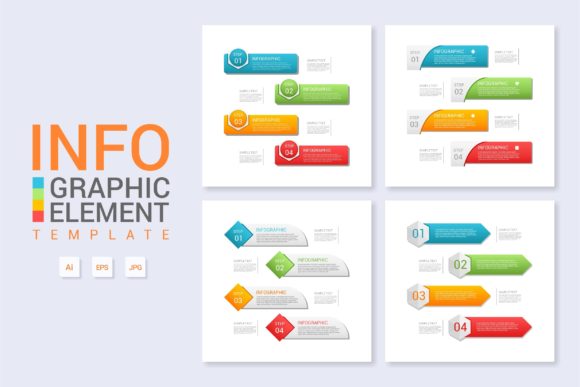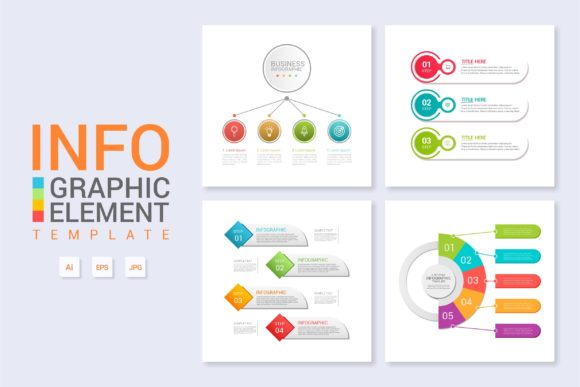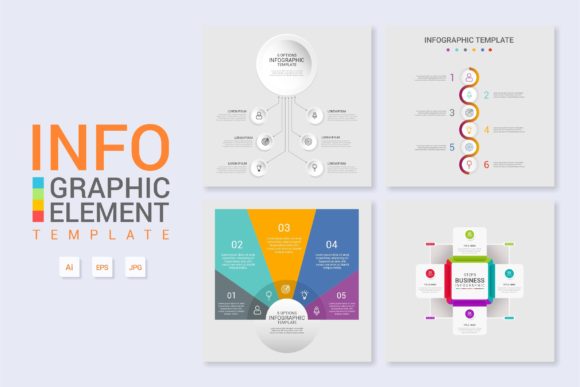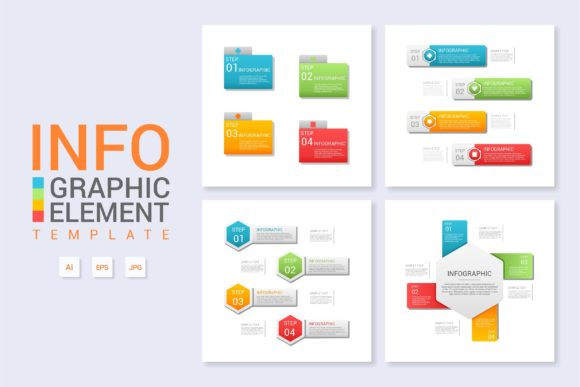
Infographic Template V.2: A Practical Asset for Scalable Visual Communication
In the current landscape of digital content creation, the ability to translate complex data into digestible visual formats is no longer a luxury; it is a operational necessity. For professionals ranging from marketing strategists to educational consultants, the bottleneck often lies not in the data itself, but in the time and technical skill required to visualize it effectively. Infographic Template V.2 addresses this specific friction point by providing a structured, vector-based framework designed for high-efficiency workflows. Unlike generic design assets that prioritize aesthetic novelty over utility, this template focuses on modularity and editability within a standardized 16:9 aspect ratio, making it particularly relevant for presentations, video overlays, and modern web layouts.
Evaluating Technical Specifications and File Integrity
The practical value of any design asset is determined by its technical foundation. Infographic Template V.2 is delivered with three distinct file types, each serving a specific function in a professional workflow. Understanding these deliverables is essential for determining compatibility with your existing software ecosystem.
- Illustrator CC File: This is the primary source file intended for active editing. It retains all layer structures, text objects, and vector paths. For users working in Adobe Creative Cloud environments, this file offers the highest degree of flexibility, allowing for non-destructive edits and integration with other CC libraries.
- EPS 10 File: The inclusion of an EPS 10 version is a critical feature for long-term viability. While newer AI files can sometimes suffer from version incompatibility when opened in older software or alternative vector editors like CorelDRAW or Affinity Designer, EPS 10 serves as a universal standard. It ensures that the vector data remains accessible even if you do not have the latest subscription-based Adobe software.
- Preview JPEG: Often overlooked, the high-resolution JPEG preview serves as an immediate reference guide. In asset management systems or when browsing local folders, this allows for rapid identification without the processing overhead of rendering a vector file. It also acts as a visual proof for client approvals before final production begins.
The decision to utilize a strict 16:9 aspect ratio distinguishes Infographic Template V.2 from traditional vertical infographic templates. This widescreen format aligns with contemporary consumption habits. It fits natively into PowerPoint and Keynote slides, serves as an ideal background for YouTube videos or webinar screens, and displays optimally on desktop monitors and televisions. While vertical infographics remain useful for Pinterest or mobile-first scrolling, the 16:9 orientation of V.2 targets the B2B and presentation-heavy sectors where horizontal real estate is premium.
Workflow Efficiency Through Vector Editability
The core proposition of Infographic Template V.2 is not just its visual design, but its behavior as a productivity tool. True vector editability means that every graphical element—from charts and icons to connecting lines and background shapes—is constructed from mathematical paths rather than rasterized pixels. This distinction has significant implications for output quality and adaptability.
When resizing elements within the template, vectors maintain perfect crispness at any scale. This is vital for multi-purpose assets. A chart created in Infographic Template V.2 can be used in a 4K video frame, printed on a large-format conference banner, or embedded in a PDF whitepaper without requiring separate export settings or resolution adjustments. Furthermore, the text layers are fully editable live type. This eliminates the need to "outline" text prematurely, preserving the ability to correct typos, update statistics, or change fonts globally across the document.
From a consistency standpoint, the template enforces a unified visual language. In professional environments, brand coherence is paramount. By utilizing a pre-structured grid and aligned anchor points, Infographic Template V.2 reduces the likelihood of misaligned elements or inconsistent spacing that often occurs when building graphics from scratch. This structural rigidity actually enhances creative freedom; because the foundational layout is solved, designers and marketers can focus entirely on content accuracy and narrative flow rather than pixel-pushing.
Real-World Application Scenarios
To understand the return on investment for this asset, it is helpful to examine specific use cases where Infographic Template V.2 outperforms custom design or free alternatives.
- Quarterly Business Reviews: Executives require clear, concise data visualization. The 16:9 format slots directly into boardroom slide decks. The vector nature allows finance teams to update revenue charts quarterly without redesigning the entire slide, ensuring year-over-year visual consistency.
- Educational Courseware: E-learning developers and educators benefit from the scalable vector format. Content created in Infographic Template V.2 remains legible whether viewed on a laptop or projected in a lecture hall. The editable text supports localization, allowing instructors to swap languages without breaking the layout.
- Content Marketing Repurposing: Bloggers and publishers can use the template to create featured images or in-article diagrams. Because the file is vector-based, exporting to SVG for web use results in tiny file sizes and instant load times, contributing positively to Core Web Vitals and SEO performance.
- Video Production Assets: Video editors frequently need lower-thirds, title cards, or explanatory overlays. Importing the AI or EPS file directly into After Effects or Premiere Pro allows for animation of individual vector paths, a capability impossible with flattened PNG or JPEG assets.
Assessing Limitations and User Requirements
While Infographic Template V.2 offers substantial advantages, objective evaluation requires acknowledging its constraints. This asset is not a standalone application; it requires proficiency in vector editing software. Users unfamiliar with Adobe Illustrator’s pen tool, layer management, or typography controls may face a learning curve. While the template simplifies layout, it does not automate content generation. The user must still possess the ability to curate data and write concise copy that fits within the designated text areas.
Additionally, the 16:9 aspect ratio, while versatile for screens, is suboptimal for certain social media platforms. If your primary distribution channel is Instagram Stories or TikTok, this template will require significant cropping or adaptation. It is best suited for desktop-centric, presentation-oriented, or video-integrated workflows. Users should also verify font licensing. Like most professional templates, Infographic Template V.2 likely uses placeholder fonts that must be replaced or licensed separately for commercial embedding, a standard industry practice that requires due diligence.
Strategic Value for Professional Teams
For freelancers and agencies, time is the most expensive resource. Custom infographic design typically commands high hourly rates due to the complexity of information architecture and visual styling. Infographic Template V.2 functions as a force multiplier. By reducing the initial setup time from hours to minutes, it lowers the marginal cost of producing visual content. This economic efficiency allows small businesses and solo creators to compete visually with larger organizations that have dedicated design departments.
Beyond immediate time savings, the template provides a reliable baseline for quality assurance. In collaborative environments, having a standardized master file reduces revision cycles. Stakeholders can review content within a familiar visual context, leading to faster approvals. The separation of content (editable text) and form (vector structure) facilitates parallel workflows; a copywriter can draft text while a designer adjusts color schemes, minimizing bottlenecks.
Making the Final Determination
Infographic Template V.2 represents a pragmatic solution for professionals who view design as a means to an end rather than the end itself. Its strengths lie in its technical robustness, format versatility, and adherence to modern display standards. The inclusion of both CC and EPS 10 files demonstrates an understanding of diverse user environments, while the 16:9 ratio targets the dominant mediums of business communication.
This asset is highly recommended for marketers, educators, and corporate communicators who require frequent, consistent, and scalable data visualization. It is less suitable for those seeking artistic experimentation or mobile-first vertical layouts. Ultimately, the value of Infographic Template V.2 is realized not in the download, but in the cumulative hours saved and the professional consistency achieved across future projects. When evaluated as a component of a broader content production system, it offers a tangible improvement in both workflow velocity and output quality.