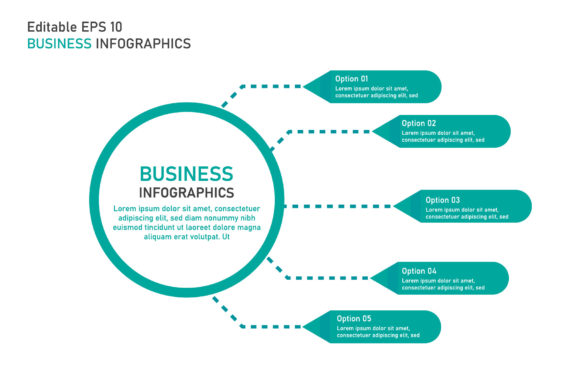
Evaluating Business Infographic Templates for Professional Visual Communication
In the landscape of modern business communication, the ability to distill complex data into digestible visual formats is no longer a luxury; it is a fundamental requirement. Business infographic templates serve as the structural bridge between raw analytics and audience comprehension. For professionals ranging from marketing directors to freelance consultants, these assets are not merely decorative elements but functional tools designed to accelerate workflow while maintaining high standards of visual clarity. When evaluating a template package that includes editable vector files in AI and EPS formats with outlined fonts, the assessment must move beyond aesthetic appeal to consider technical flexibility, long-term utility, and integration into existing professional workflows.
The Strategic Value of Vector-Based Assets
The primary distinction between a usable professional asset and a generic internet graphic lies in the file format. Business infographic templates delivered in Adobe Illustrator (AI) and Encapsulated PostScript (EPS) formats offer scalability that raster-based alternatives cannot match. In practical application, this means a single template can be resized for a LinkedIn post, a printed annual report, or a large-format trade show banner without any degradation in quality. For entrepreneurs and small business owners operating with limited budgets, this versatility maximizes the return on investment for a single design asset.
Vector architecture also facilitates non-destructive editing. Unlike flattened images where text and graphics are merged, vector templates maintain separate layers and paths. This allows users to adjust color palettes to match strict brand guidelines, modify chart proportions to reflect new quarterly data, or rearrange layout components without rebuilding the design from scratch. The inclusion of both AI and EPS formats ensures compatibility across different versions of design software and operating systems, reducing friction when collaborating with external agencies or clients who may use legacy systems.
The Significance of Outlined Fonts
A frequently overlooked but critical specification in professional template packages is the outlining of fonts. When typography is converted to vector outlines, the text ceases to be editable type and becomes geometric shapes. While this prevents direct text editing, it solves a pervasive technical headache: missing font errors. In collaborative environments, ensuring every stakeholder has the exact licensed font installed is often logistically impossible. Outlined fonts guarantee that the visual integrity of the infographic remains intact regardless of the device or software version used to open the file.
For users who need to change the copy, high-quality business infographic templates typically include a separate layer with live text or provide documentation linking to free, open-source font alternatives. This hybrid approach balances the safety of outlined vectors with the necessity of editable content. It reflects a mature understanding of real-world design workflows where reliability often takes precedence over convenience. Professionals should always verify whether a template offers this dual-layer structure before purchase to avoid being locked into static messaging.
Assessing Usability and Workflow Integration
The true test of business infographic templates is how seamlessly they integrate into active projects. A well-constructed template acts as a modular system rather than a rigid picture. Key characteristics of high-usability templates include organized layer naming conventions, grouped smart objects, and clear separation between background elements and foreground data visualization. When layers are labeled intuitively (e.g., "Chart_Data," "Icon_Set," "Header_Text"), designers spend less time reverse-engineering the file and more time focusing on content accuracy.
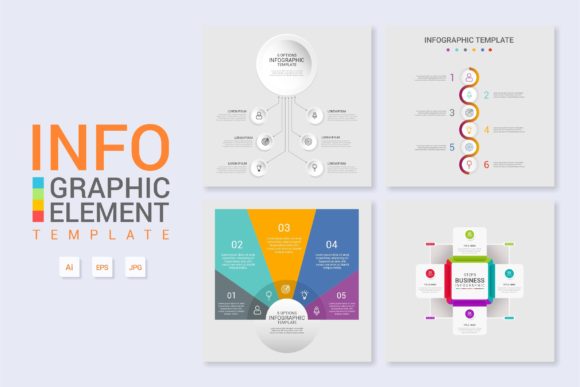
Flexibility extends to the adaptability of the data visualization components themselves. Effective templates provide multiple variations of charts, graphs, and timelines within the same master file. This allows a marketer to create a cohesive series of infographics for a campaign without mixing disparate visual styles. Consistency builds trust with audiences, and having a unified library of vector assets ensures that a financial summary looks visually related to a process flowchart, even if they present entirely different types of information.
- Layer Organization: Logical grouping and naming reduce setup time and minimize accidental edits to locked elements.
- Color Management: Global swatches allow for one-click rebranding across all infographic variations.
- Modular Components: Individual charts and icons should be isolated for easy extraction and reuse in other documents.
- Documentation: Clear instructions on replacing placeholder content and managing outlined vs. live text layers.
Practical Applications Across Industries
Different professional roles derive distinct value from these resources. For educators and trainers, business infographic templates transform dense curriculum material into engaging visual aids that improve retention. The vector format allows these visuals to be printed clearly on handouts or projected at high resolution during lectures. Freelancers and agency designers utilize these templates as starting points to meet tight client deadlines without sacrificing custom quality. By adapting a premium template, they can deliver agency-level polish at a fraction of the cost of bespoke illustration.
Corporate communications teams benefit most from the standardization these assets provide. When multiple departments need to produce reports, a shared library of business infographic templates ensures organizational consistency. This reduces the burden on internal design teams, allowing them to focus on high-priority creative work while department heads handle routine updates using pre-approved, brand-safe frameworks. Small business owners launching investor pitch decks find particular value in timeline and growth chart templates, which help articulate business trajectories professionally without requiring a dedicated graphic designer.
Quality Indicators and Potential Limitations
Not all template packages deliver equal value. When evaluating options, professionals should scrutinize the complexity of the vector paths. Overly intricate designs with excessive anchor points can bloat file sizes and cause rendering lag, particularly when multiple infographics are placed in a single document. Clean, efficient vector construction is a hallmark of professional-grade assets. Additionally, check for print-readiness. While digital use is common, business contexts often require physical collateral. Templates should include CMYK color profiles and appropriate bleed settings if print output is anticipated.
It is equally important to recognize limitations. Business infographic templates are accelerators, not replacements for data literacy. A beautiful template cannot compensate for poorly structured information or misleading statistics. Users must still possess the analytical skills to select the right chart type for their data and the editorial judgment to simplify content appropriately. Furthermore, reliance on templates can lead to visual homogeneity if not customized sufficiently. To maintain distinctiveness, professionals should treat templates as foundations, adding custom photography, unique iconography, or proprietary textures to differentiate their output from others using the same assets.
- Verify File Integrity: Open sample files to check for broken links, missing gradients, or corrupted vectors before purchasing full packages.
- Test Editability: Attempt to change colors and resize elements to ensure the template uses proper vector techniques rather than masked raster images.
- Review Licensing: Confirm that the license covers intended commercial uses, especially for client work or merchandise.
- Assess Support: Determine if the creator provides updates or troubleshooting assistance, which adds significant long-term value.
Making an Informed Selection
Ultimately, the decision to invest in business infographic templates should be driven by specific workflow needs rather than general availability. For professionals who regularly translate quantitative information into visual narratives, the time savings and quality assurance provided by premium vector assets justify the expense. The combination of AI and EPS formats with outlined fonts represents an industry-standard specification that prioritizes compatibility and reliability. However, those with highly specialized data visualization needs or unique brand identities may find greater value in commissioning custom work or building proprietary template libraries over time.
When selected thoughtfully, these resources function as force multipliers for business communication. They enable faster iteration, ensure technical consistency across platforms, and elevate the perceived professionalism of presentations and reports. By focusing on structural quality, editability, and practical application over superficial trends, professionals can build a sustainable visual asset library that supports business objectives for years. The goal is not merely to fill space with graphics, but to enhance understanding through deliberate, well-crafted design systems that respect both the data and the audience's time.